Archive for the ‘Design Lessons’ Category

Craft Project-How to Make an Easy Octopus Costume

Thursday, January 14th, 2010

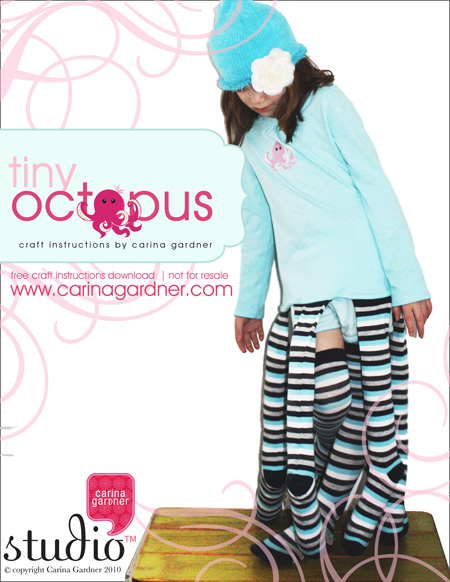
carinagardner_blog1Yes, my daughter wanted me to make her an octopus costume for her birthday. So how could I refuse? I kept it simple by buying a t-shirt (with the gems already on it) and women’s long socks. Add some filling, a t-shirt transfer kit and my sewing machine and I was set. The only problem? Once I made one for my oldest daughter, I had to make a second one for my youngest daughter. Thankfully, it’s project that can be done in a couple of hours.
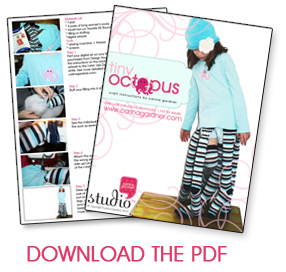
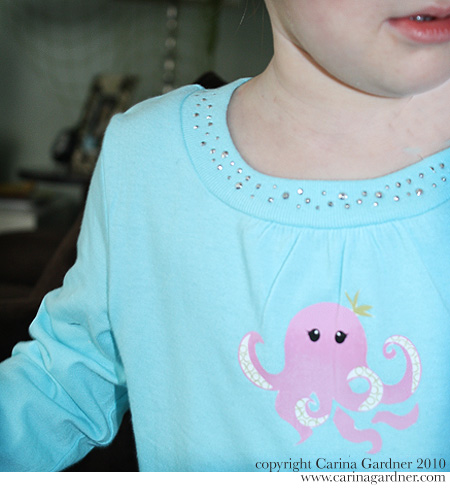
Here’s the basic idea. Take a t-shirt and iron-on one of my adorable octopus stickers. Or skip this step entirely. Then stuff 6 women’s socks with filling and sew them to the ends of the t-shirt. Grab a beanie hat (add a flower for fun) and put on a pair of shorts and a final pair of socks (so there are 8 legs in all). Instant octopus!

Want the full instructions and photos? Just download this pdf with my instructions for creating this easy craft project!

carinagardner_prevoct

Share and Enjoy:
  • Digg
  • StumbleUpon
  • Facebook
  • TwitThis

Easy T-shirt Project-How to go from Digital Product to Iron-On

Thursday, January 14th, 2010

blog3

Creating great projects from digital products is easy! For example, my daughter’s birthday party was last week and we did an underwater theme. So my gifts to all the little guests were mermaid shirts with matching hair color for each girl. My daughter wanted to be an octopus, so I simply ironed-on an octopus illustration I made onto the simple costume I created for her (to see how to make the octopus costume, please visit the octopus costume post).

blog1

So here’s how I created this cute little gift idea.

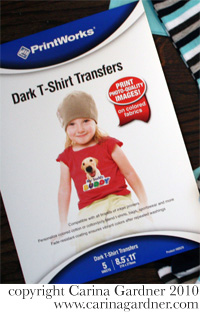
blog21. I bought a package of Dark T-shirt transfers and a few t-shirts in blue and dark pink. I picked them all up at Target but many places would have these goods.

2. Choose an illustration from your favorite digital kit…stickers work best because they are png (no background). I used my Tiny Mermaid line for this project.

3. Print your illustration onto your Transfer Sheet (follow the instructions from the back of tha package.). I just used my inkjet printer at home and bought inkjet transfers. If you want to maximize space, create a 8.5″ x 11″ document in Photoshop and place several stickers to cut out.

4. Cut out your printed transfer VERY CAREFULLY. Because it is on a dark T-shirt, you will want to cut out all the white and get as close to the edge of your design. For example, on the octopus sticker, I had to cut out a couple of the legs seperately because they were seperate from the body and I didn’t want white to show up between the legs.

4. Follow you transfer paper instructions to iron on the design to the t-shirt. For mine, I laid down a pillow case on a hard surface and laid a sheet of paper (provided by the iron-on packet I bought) down over the t-shirt and ironed for 1-2 minutes.

And that’s it! I great project that my children adore and made Siri’s party special.

Share and Enjoy:
  • Digg
  • StumbleUpon
  • Facebook
  • TwitThis

New Year’s Resolutions-A Day Late

Saturday, January 2nd, 2010

coquette_blog

I’m just getting around to posting my New Year’s Resolutions. Not that they aren’t the same as most of yours…get in shape, give more time to myself, my family, document our lives (I’m hosting a 365 at DHD)…yada, yada, yada. Mostly, I just wanted to post because I am so EXCITED for 2010. It’s going to be a fun year. I can feel it. And I hope it will be for you too.

Here’s what’s on the horizon for designwork this year:

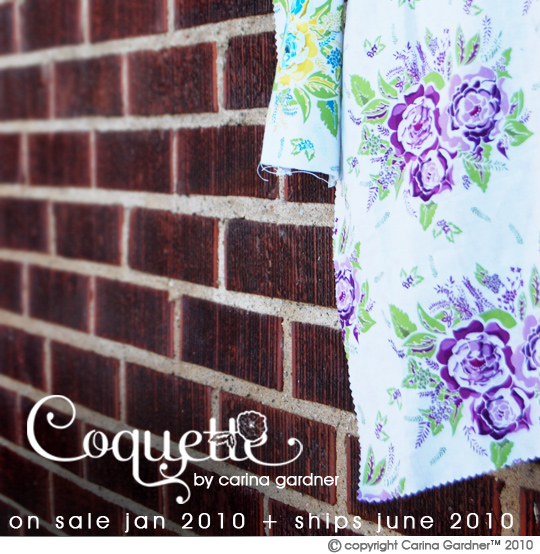
* Two fabric lines will hit quilting shops this year. Coquette will arrive in quilting stores in June (call your quilt shops this month to ask if they will be stocking this beautiful line from Northcott!) and Love Nest will come out later in the year. All of the fabric samples are up for your viewing pleasure!

* A brand new Carina Gardner™ Shop will be opening up! We will be offering limited quantites and fat quarters of the new fabric line and will also eventually carry all kinds of goods from my designs in scrapbooking and fabric. The Shop is set to open in June 2010. I’ll have more information on it as it gets closer.

* I’m at a new digital shop! This has already happened but it is such an exciting venture for me as I get to participate in Jen Allyson’s newest venture! She’s a pleasure to know and a fabulous designer! I think you’ll see that Design House Digital will be the fastest growing digital shop in 2010. It already has had some astonding traffic! I’m just proud to be apart of such a wonderful group.

* I’m pleased to be teaching again. It’s been two years since I stopped teaching at the University of Minnesota. I never thought that teaching would happen to fast for me again. You can find my newest adventure with Jessica Sprague teaching a self paced course—Illustrator 101.

* Keep checking back for my Paper Lines with My Mind’s Eye. I’m sure we’ll have several in the works this year.

And while there might now be a bullet point on this one, if you know me, there will be plenty of other good things happening in 2010 on this blog. I’m already working on a great craft project for my daughter that I’m excited to share with you (give me a week to finish it up!)! And with all the fabric hitting my studio in May, you know we will be sewing like MAD around here!

Hope you had a wonderful holiday weekend and may you be happy in 2010!

Share and Enjoy:
  • Digg
  • StumbleUpon
  • Facebook
  • TwitThis

There Are Going to Be Some Changes Around Here! Illustrator Class & New Digital Scrapbooking Site!

Monday, December 7th, 2009

illustrator101_iconIt’s a season of change around my house. Josh started work with a new law firm, Siri has lost tooth number 2, Felicity has been trying out her new potty, and I’ve got some great new projects in the works. The first is this brand new online class for Illustrator, which goes on sale TODAY at Jessica Sprague.com! After teaching Illustrator at DSE, this last September, I was overwhelmed by the number of people asking for an online course. So here it is folks! A four week long Illustrator course that is completely self-paced and easy to use. The videos are broken into smaller tasks so it’s easy to go back to a tutorial. I’ve also included 3 Bonus lessons, digital scrapbooking kits, and vectors in the course.

While I created this course initially for digital scrapbookers, I would recommend it to anyone who is even thinking about getting into design. I’ve incorporated everything I would teach on Illustrator in a university-level introductory graphic design course.

So want to see what the class is going to be all about? Go straight to the Jessica Sprague site to see the introduction video, purchasing information, and the Lesson break downs. You can also go to YouTube to see the video. I recommend watching the video because it will show you a short tutorial of a class lesson along with everything you will need (aka technology requirements) to take the course.

With all change, there is also some sad news. I have decided to move my digital scrapbooking store from Two Peas. You will still be able to find all of my 2008-2009 digital designs there, but I will be moving to a new store come January 1st, 2010.

Picture 168

I’m pretty excited to have been asked to come to the new store (which isn’t even open yet) because it will be site with designers that are so amazing! The name of the site is Design House Digital (http://www.designhousedigital.com/) and the list of designers going there is UNBELIEVABLE! I can’t spill anything yet, but you ought to check out the place holder blog to grab the newsletter freebie (it’s FABULOUS!). And while you are at it, sign up for twitter https://twitter.com/designhousedigi since I was told that people will get updated with the new freebies and store updates there.

Well, that’s it for now. I’m working away at a christmas line for fabric and paper and enjoying my little ones during this holiday season. Hope you are having a happy December too!

Share and Enjoy:
  • Digg
  • StumbleUpon
  • Facebook
  • TwitThis

The Digital Scrapbooking Experience

Saturday, September 26th, 2009

DSC_0050

DSC_0030Finally! After a crazy two days I have a chance to write about DSE! Thursday afternoon I taught an Illustrator class  at the Digital Scrapbooking Experience in Provo, Utah. Jen Allyson flew in from San Francisco to help me out.
I had a WONDERFUL time with the students! After teaching 5 years of college, I had completely forgotten how wonderful it was teach students who are eager to learn (and everyone in my class was!). Thank you ladies + Gary for participating in my class! I’m glad I did it because it opened my eyes to what people can do with a little bit of education on the programs. I’m constantly asked about becoming a designers and I may have just had my eyes opened to some new possibilities for these people. I’ll let you know on the developments.

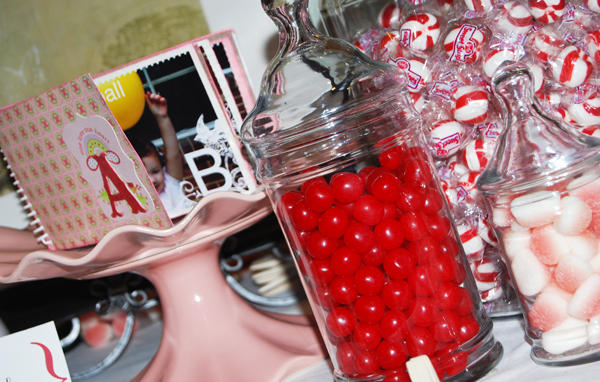
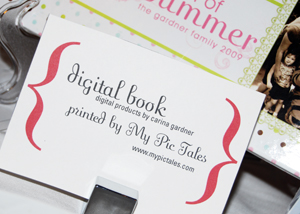
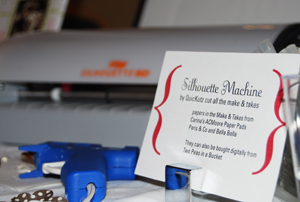
I also hosted a table with a cute little flower make-and-take, candy, and my papers from My Minds Eye (and if you haven’t figured it out yet, papers that get printed can also be bought DIGITALLY from me). Jennifer Allyson and Garden DSC_0056Girl Gennifer Bursett both helped me. In fact, I probably owe Ms. Gennifer since I managed to forget my camera and I all these photos are hers! I showed off my digital book that was printed from My Pic Tales and Silhouette Machine, which made all my make-and-takes (and I couldn’t live without at this point!).

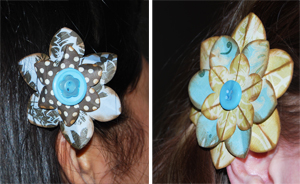
You can make our make and takes too! All you need to do is go to the Paper Flower Wreath post and download the pdf. The flower shape we used can be used as a pattern and hand cut out, or I also provide .gsd files for you to use on your own silhouette. Here’s DSC_0031photos of Jen and Gen sporting the barrette version you could make. We also had laundry clips and pipe cleaner for attaching to badges or making wristlets. The papers we used for the table all came from my Paris and Co. and Bella Bella Paper Pads that can be bought exclusively at ACMoore.
Some of my favorite moments at DSE? I loved meeting the other instructors (I was so happy to see Crystal Wilkerson there!), I throughly enjoyed Jessica Sprague’s Keynote address, and (my most favorite moment of all) when one of my students (of whom I will refer to as the “Atlanta Gelato Queen”) slipped a chocolate gelato onto a box I was carrying out.

DSC_0055Thanks for all the fun everyone! I could only go to one day of DSE (sorry everyone! I just couldn’t get up there yesterday and today is packed!) because we closed on our house yesterday! Yippeee!!!!!! And now, the work begins…or might I say, the true Project Mania begins! September might end (and I have a few projects yet to finish up!) but in October I’ll be posting all my house fix ups.

Share and Enjoy:
  • Digg
  • StumbleUpon
  • Facebook
  • TwitThis

Printing a Digital Book

Wednesday, September 23rd, 2009

projectmaniamonth_carinagardner1

IMG_7236

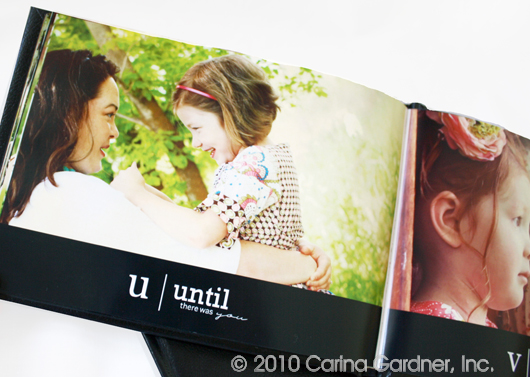
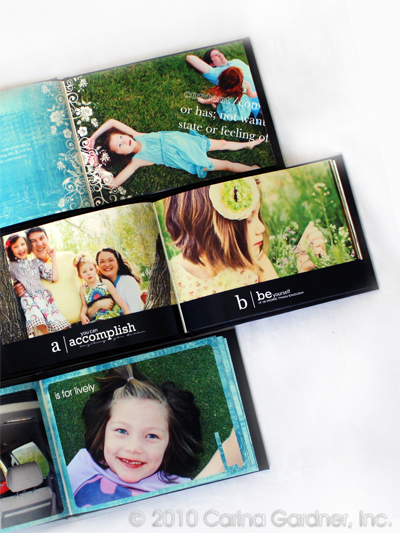
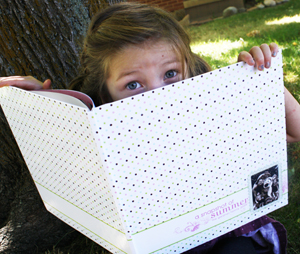
I finally did it! I printed my very first digital scrapbook. I remember when I use to explain digital scrapbooking to people, they’d say, “Digital?…does that mean you just look at them on the computer?” And I’d have to tell them you could but the point is to have it printed and have a BOOK. I mean, it is called scrapBOOKing even if there is the word “digital” in front of it.

IMG_7240So after not quite 2 years as a digital designer, here I am with my very first book. I kept it really cohesive by only using certain colors and elements. I stuck to the Sproutlets papers & accessories, the Imprints collection,  and the PhotoCuts collection. I was COMPLETELY impressed with the quality of the book (even the hard bound outside looked AMAZING). I had it printed at My Pic Tales. I’ll be sure to be doing a lot of printing with them in the future. I need to do a few books for Christmas and senidng out for books through these guys was a snap!
IMG_7256I got the book just in time for DSE, Digital Scrapbooking Experience! If you haven’t registered for Tips and Tricks in Illustrator, but are attending the event, you can register at the door. I’m also gearing up for Digit Alley on Thursday night. We’ll be doing a fun make-and-take at my table. I’ve been busily having my lovely silhouette cut out little flowers for me.  Another surprise? Jen Allyson will be showing up to help me with the class and the make-and-take table!

Share and Enjoy:
  • Digg
  • StumbleUpon
  • Facebook
  • TwitThis

Project Mania…An entire month of projects!

Thursday, August 6th, 2009

projectmaniamonth_carinagardner1

img_6708_smWe’re getting started a bit early here (Project Mania officially starts on September 1st!), but I wanted to make sure that everyone has a chance to participate! I’m giving everyone a head start here so that if you have any big projects that need starting or need to clear out your schedule to make way for some great projects in September, you have the time to!

This is a BLOG HOP! Here on my blog, I’ll be posting a plethora of new projects, tutorials, and free downloads to help inspire you. If YOU have been working on some things and want to share OR if you’ve needed a kick start, this is it! Time to get your hands dirty and get going! We all want to see what you’ve done! Whether it is scrapbooking related, sewing, home decor, home organization, crafts…if you’ve been meaning to do it, let’s get it done this September and post it on our blogs! You’ll definitely see plenty from me on these fronts all September.

So you think you want to share what you’re going to be doing September 2009? We’re starting a list right here! First thing you need to do is grab this html code and the little banner to put on your blog. It will relocate you back to this post for the most up-to-date list on blogs/websites participating in Project Mania.


<a href=”http://www.carinagardner.com/2009/08/06/project-mania/” target=”_blank”><img class=”alignnone” src=”http://i231.photobucket.com/albums/ee297/diginirvana/projectmania1.jpg” alt=”" width=”200″ height=”150″ /></a>

Next, you need to send me the name of your blog and the link you want it to go to so that we can all drop by and see what kinds of things you are getting into! Send it to carina@diginirvana.com.

Here’s the list of everyone participating! Go visit and see what these Project Maniacs are up to!

Carina Gardner Studio (Me)

The Project Girl

Mean Mom Digital Productions

Brought to You By The Letter B

live laugh LOVE scrapbook

Life’s Little Moments

Naomi’s Space

Sophia’s World

My Creative Space

Share and Enjoy:
  • Digg
  • StumbleUpon
  • Facebook
  • TwitThis

The First Steps to Becoming a Designer

Sunday, July 5th, 2009

I get asked alot “how to become a designer.” There’s really no straight answer to a question like that. I think people are so interested because creativity is an essential part of all our lives. Trying to figure out ways to channel that creativy into a career seems possible by becoming a “designer.” With a little bit of luck and a WHOLE LOT OF WORK, becoming a “creative” is possible. When I say a whole lot of work, I really mean it. Learning the tools of the trade and bettering your eye for building beautiful work are only the first steps. Then comes execution, execution, and more execution. Sometimes I make, make, and make with nothing to show for it.

I received an email from someone asking how they could get started and I thought I would share my advice. I have repeated this advice many times to others who have asked (which is why I decided to share:). I taught graphic design for 5 years at the University of Minnesota and practiced as I taught. My insights might be tainted as a “trained” designer, but I find that raw talent is far and few between and most of us (myself included) needed training to do what I do now. So here’s my email:

Hi,
Thanks for your comment on my blog. The number one thing I can tell you to do is go take a class—get a little more school. It will help you learn the programs you need to get started. Learning Photoshop, Illustrator, and InDesign is not for the faint of heart, but completely worth it to become a competent (and fast) designer. Second, you need at least ONE (if not more) theory class. Something that will really help you to SEE like a graphic designer. Building your visual skills is SO important. Night classes can be taken at your community college or local university.  From there, you’ll sort of figure out what you are good at, how much more school you really need, and how best to approach a career change. It will not be easy, but if you love design, it will be fulfilling.

Good luck!
Carina

Share and Enjoy:
  • Digg
  • StumbleUpon
  • Facebook
  • TwitThis

Finding Design in Everything: Form and Function

Sunday, March 15th, 2009

I was thinking about form vs. function…the time old question of which comes first (think the chicken and the egg) and how they inform each other. Form, the shape or medium that an object or service is in, and function (how it acts or works—the purpose of the object). Designers often say “form follows function.” So for example, a chair isn’t really  functional if there is no seat. The form of the chair is dictated by what it’s purpose is (to sit in). 

 I was thinking about this question in particular as it happens last Saturday. I was trying to figure out a fun afternoon activity for my kids. I came up with the age old “cheerio necklace” since we had everything for it. I was thinking about how a cheerio wouldn’t work for this fabulous activity if it wasn’t for the hole in the middle, therefore making it’s form “functional” for this activity. I mean, you’ve never heard of a Life necklace or a Captain Crunch necklace?

img_1315I have no idea why they chose the “o” shape for the cereal, but I found this if you want to know anything about the cooking process of these little cereals. Anyway, this is my very little tidbit on how form and function influences even the tiniest parts (and perhaps insignificant) of our lives. I sure do love those Cheerio necklaces! If you have a form vs. function story, please share! 

img_1322

img_1328

img_1339

img_1338

Share and Enjoy:
  • Digg
  • StumbleUpon
  • Facebook
  • TwitThis

Interview with Designer Holly Jones & Giveaway from My Cute Stamps

Thursday, March 12th, 2009

I have a very special interview with designer Holly Jones today! She is the owner and creator of My Cute Stamps, an absolutely DARLING store with her beautiful clear stamps! She also has a fabulous blog Creating Cupcakes. She’s also offered a darling stamp set to be given away to someone! Let’s meet her:

logo

hollyjones

CarinaWhat kind of “designer” do you consider yourself? 

Holly: I started out as a graphic designer but as I worked at various jobs, I soon realized that I preferred Illustration over design. Now I consider myself an Illustrator.

Carina: Do you consider yourself a “creative” person?
HollyYes, growing up my dad owned a small print shop. I preferred playing with his trash (discarded papers, glue, inks, & etc.) more than I enjoyed playing with any of my toys. I love to learn new creative skills. I enjoy drawing, stamping, paper crafting, knitting, jewelry making, the list goes on & on.

CarinaDo you always feel creative?

HollyMost of the time. Most days I feel like there isn’t enough time to create everything I want to create.

Carina:  What kind of jobs have you had?

HollyMy 3 favorite jobs include: 1) Working at the computer lab it college. This is where I learned to use the computer & graphic design programs. I didn’t have a computer of my own until a few years ago, so it was fun to be able to use one everyday at work. 2) Being a “live in Nanny”. I got to explore the Eastern states with a great family whom I still keep in contact with. 3) Designer & Illustrator for Stampin’ Up! I worked here designing papers, products & stamp sets. I really enjoyed the environment and my fun and creative co-workers.

Carina: Tell me about being a mom and your “design work”.

Holly:  I work at home with my 2 cute girls. I wouldn’t trade it for anything, It can be challenging at times. My girls are both young and demand a lot of attention, so I really don’t get much work done until they go to bed at night. My oldest daughter is 4. She loves crafts, she has recently been interested in drawing her own stamp sets. She keeps asking when we will be selling her cute designs. I don’t think it will be much longer before she’s ahead of me in her creative skills.

Carina: What do you do now?

Holly:  Right now my husband and I have two businesses, Vinyl Wall Art & My Cute Stamps. He does most of the orders & technical stuff, while I do all the design work and marketing. I’m currently designing some new Reposition-able vinyl for Vinyl Wall Art, and getting our display for the Stamp business ready for the Salt Lake Scrapbook USA expo which takes place next week.

Carina: Tell me more about My Cute Stamps? What made you get started with that?

HollyInitially, I started doing Wall Art because I had a 2 year non-compete contract with Stampin’ Up! I still enjoy designing wall art, but I missed designing for the craft industry. My non-compete contract with Stampin’ Up! ended in October (the same month as my birthday) My husband thought it would be fun to order me some stamps that I designed in celebration of both occasions. I really loved designing the stamps, and had forgotten how much I love to design products for the crafting industry. I posted some of my stamp designs on the internet, and the response was fabulous, so we decided to set it up as a business. I’m really glad we did. I’m having a great time coming up with new set ideas & new product ideas (coming soon.)

Carina: What is your favorite stamp set?

Holly: It would be Eek! A Monster!

monster4


monster2

Carina: Where do you see yourself in 10 years with your designwork?

HollyI hope to have an entire line of products within the next 10 years. More than just stamps, perhaps coordinating papers, and craft kits.

Carina: What makes My Cute Stamps Unique?

Holly: When I design new stamps, I really try to keep in mind how the stamps will be used. I try to make each set as versatile as possible. I want the end user to be able to use each set for multiple occasions and projects. 

GIVEAWAY FROM HOLLY!

A big thank you to Holly for doing the interview! And she has been really generous to giveaway this darling stamp set: Spunky Nature Stamp Set! It’s my favorite set! 

spunkynature21

spunkynature


spunkynature3

What do you have to do to win it? Comment on this blog and your name will be entered into the drawing! If you go over to check out My Cute Stamps and tell me your favorite set, I’ll put your name in twice! Easy! This giveaway will end on Saturday at 9AM MST and winners will be announced on Saturday morning at 10AM MST.  Good luck!

Share and Enjoy:
  • Digg
  • StumbleUpon
  • Facebook
  • TwitThis