Archive for the ‘Quick Fixes & Projects’ Category

Hybrid Card Tutorial

Friday, August 20th, 2010

I’ve been meaning to post this awesome tutorial from CT Member Joyce. This is a fantastic tutorial showing off how easy it is to take digital products and turn them into cards. Take it away, Joyce!

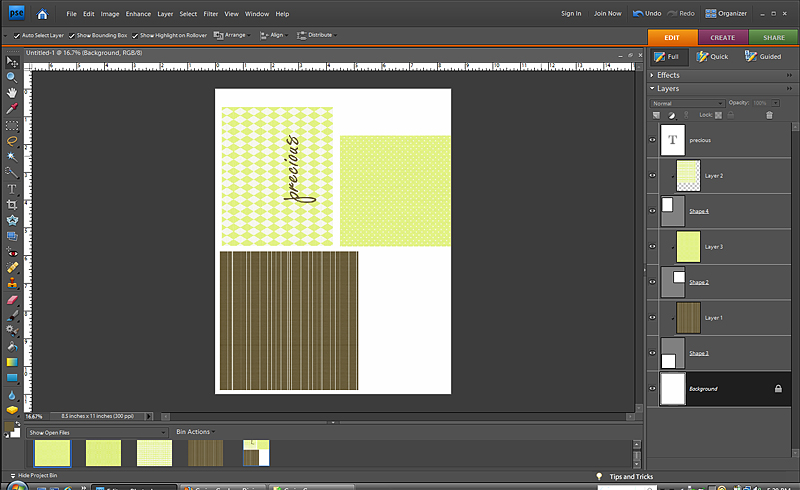
1.Create your cardstock pieces with a program like Photoshop Elements. I created 4×4, 5×5, and 4×5 shapes and clipped the patterened papers to them. I flattened the image and printed it onto white cardstock.

screenshot_BasicsHybrid

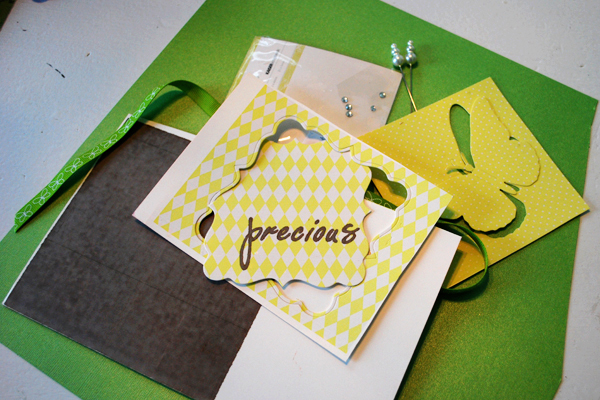
2. Next I trimmed my patterned paper pieces and used my Quickutz Epic
to cut out the butterfly and label shapes from the patterned paper. I
gathered up a few more supplies like green cardstock, butterfly
ribbon, Maya Road stick pins, and some buttons.

Precious_step2

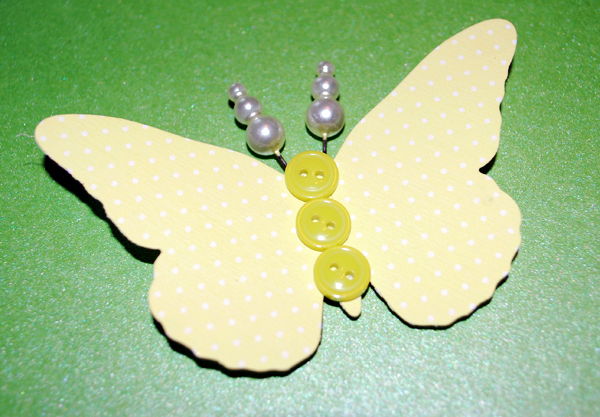
3. I embellished my butterfly by adding 3 tiny buttons to the front,
foam tape to the back, and stick pins pushed into the foam tape for
antennae.

precious_step3

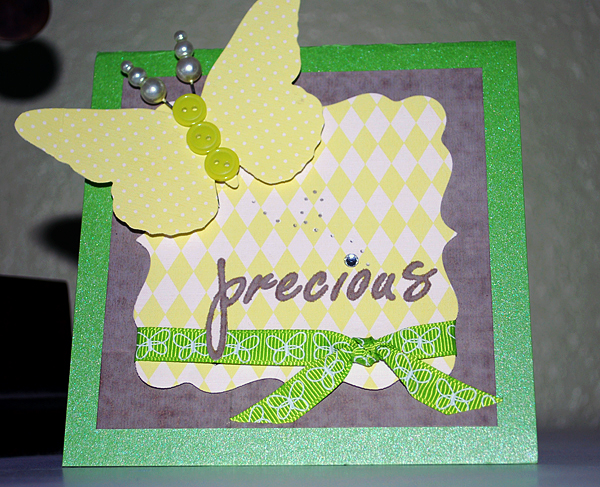
4. I cut my green cardstock to 5×10 inches, folded in half at the top,
and layered on my elements. Brown patterned paper trimmed to a 4.25″
square, then yellow patterned paper that was cut into a label diecut,
and butterfly in the corner. Another embellishment technique I used
was to add a butterfly flight trail with my punch tool and dot the “i”
of precious using a rhinestone.

Now I have the perfect unisex card for my next baby shower! The Basics
papers
are so versatile you can create something for most any occasion!

precious_hybrid

Share and Enjoy:
  • Digg
  • StumbleUpon
  • Facebook
  • TwitThis

Happy Fabric Flowers-Just Add Velcro

Sunday, August 15th, 2010

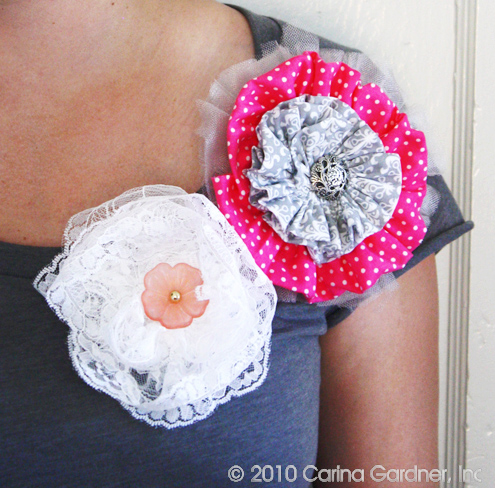
IMG_4844_sm
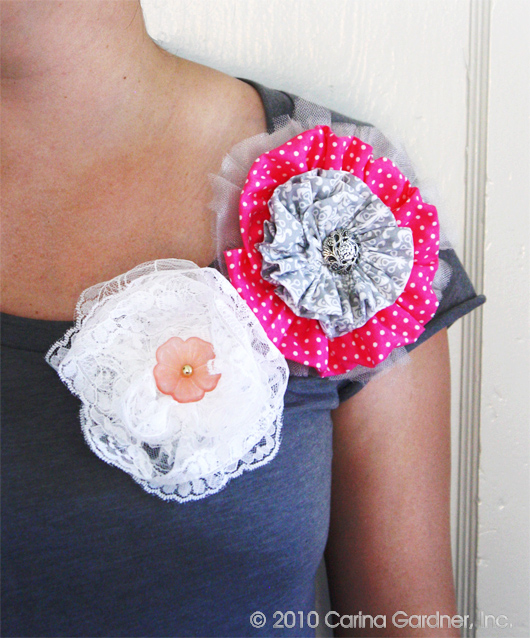
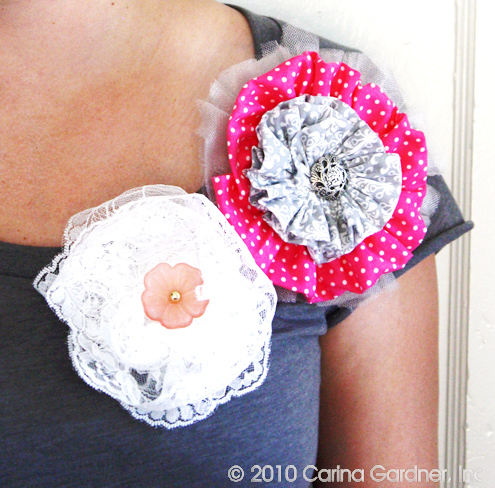
I was invited to a craft night with a whole lot of mid-western gals. Who knew there were so many Minnesotan’s in Utah (escaping the cold no doubt)? The theme was t-shirts so I brought T’s for the girls and myself with tons of fat quarters, lace, and buttons. Inspired by Whippy Cake’s headbands (introduced to me by Kari Holt at CHA), I decided to add velcro to all the shirts and make lots and lots of flowers so my little girly-girls and I would switch out depending on our mood. It was an instant hit with my kids, and Siri is sitting next to me learning to sew rosettes as I type. Thanks for inviting me Kelly!


Share and Enjoy:
  • Digg
  • StumbleUpon
  • Facebook
  • TwitThis

How to Brighten a Skimpy Wreath

Thursday, July 15th, 2010

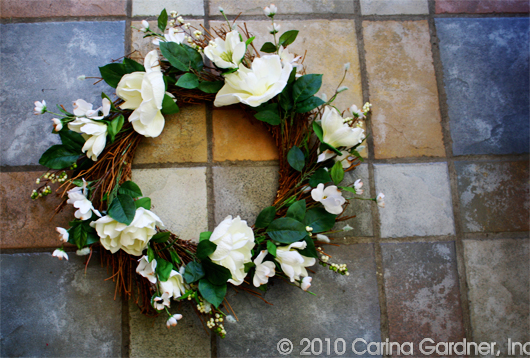
I love a white wreath on a black door and I found a really skimpy wreath marked down at my local craft store. Luckily there was also a few white flowers marked down. If you want a cheap wreath (and don’t want to create one from scratch), this is the best way to go!

IMG_3673Start with a wreath with the colors in it you want. I liked this wreath but I wanted something fuller.

IMG_3680

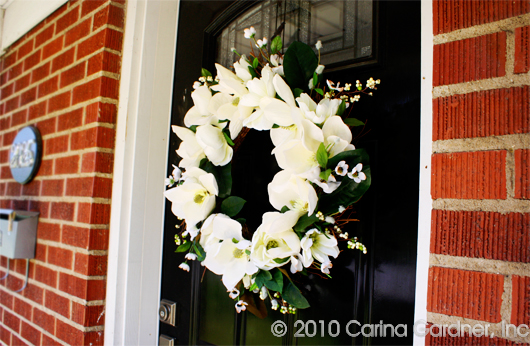
I bought these big white flowers (2 bunched) on clearance and simply hot glued them to fill it in.

IMG_3692

Easy, instant wreath! It’s different than anyone else’s and so much fuller!

Share and Enjoy:
  • Digg
  • StumbleUpon
  • Facebook
  • TwitThis

Dirty and Clean Dishwasher Tag—Free Download

Wednesday, June 16th, 2010

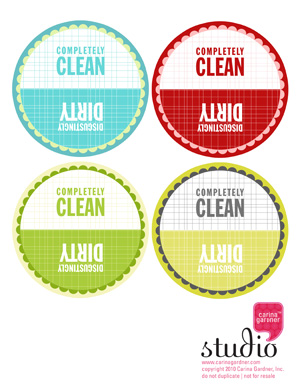
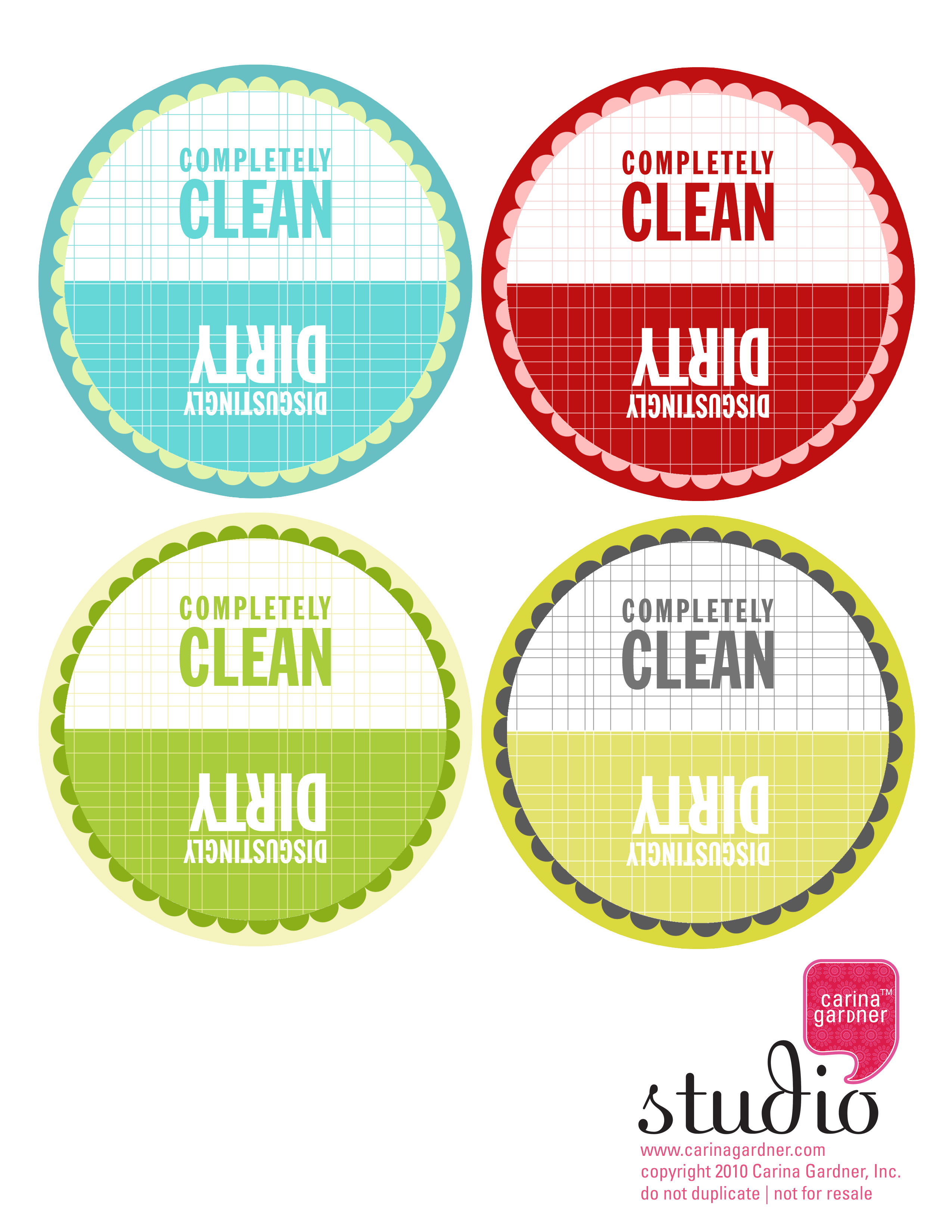
dirtyorclean_1I’ve been meaning to make this for myself for sometime now—A magnetic dishwasher button that tells everyone else in the house if the dishes are clean or dirty. Here it is for you too (should you also have the problem of everyone asking you if the dishes are clean or dirty). I’m going to laminate mine, glue to thick paper or board, and add a magnet to the back. A pretty simple project. If I had a button maker, I’d probably make it into a button instead. If you do cool things with this button, be sure add the link here or add it to our Flickr group.

When your dishes are clean, simply flip the “Completely Clean” side up and when they are dirty, flip the “Disgustingly Dirty” side up. I even included 4 colors here so you could decide which worked best in your kitchen:).

Download below!

dishwasher_cgHere’s a few other things to check out:

+ If you wanted Pretty Posy, you only have a few more hours to join the Facebook group. I extended giving out the freebie until tonight.

+ Coquette™ will be arriving in the next couple of weeks, and I’ve already started getting a quilt design together for you! I’ve also got all sorts of other crafty ideas for you with the line.

+ A few updates to the studio site was made including the addition of Love Nest™ to the fabric section. If you want to see this line at your local quilting shop, be sure and email the link to the web brochure to them! You can also check it out on the sidebar on this here blog.

Share and Enjoy:
  • Digg
  • StumbleUpon
  • Facebook
  • TwitThis

How to Change a Skirt into a Dress

Friday, June 4th, 2010

IMG_2549 copy

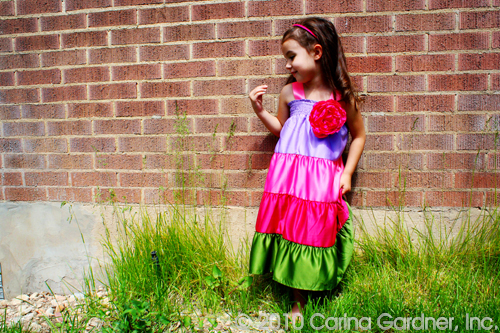
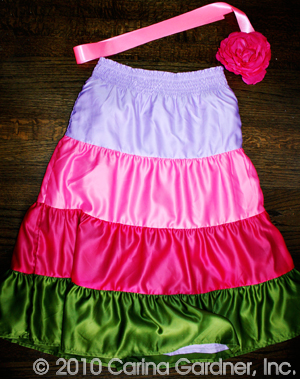
IMG_2509 copyI found these darling skirts at Gymboree clearanced out. So of course, the only sizes left were 9 and 10…a bit big for a 3 and 6 year old (and I wasn’t about to let these bad boys sit idly in a closet for a few years!). So I made these skirts into dresses.

With just a bit of ribbon and a giant flower (I got mine from The Lace Place), these skirts become dresses for my girls. Here’s what you’ll need to do a project like this:

+ 1/2 yard to 1 yard of ribbon that matches or contrasts your skirt (I went with the pink satin ribbon)

+ 1 yard of ribbon for a bow or silk flower

+ large safety pin

+ Fray check

+ small, squirmy child to try it all on

1. Fit the skirt to your child. Most likely you’ll need to bring it in a little. I’m not the kind to pick apart the whole thing and put it back together. I just turn it inside out and sew an inch (or whatever) into the seam. I don’t even sew the length of the dress! I just taper off after a couple of inches.

2. Cut the ribbon in 1/4 to 1/6 lengths and fit to your child ( you’ll need 2 lengths for each “sleeve”).

3. Sew the ribbon into the skirt wrong side out (You’ll do this four times…one at each point the skirt and ribbon connect). Sew at least two lines of stitches. Put fray check on the raw edges.IMG_2528 copy

4. Put the safety pin through the large flower or bow you’ve made. Then attach it to the dress. I like the safety pin because then you can take it off when you wash the dress or use it as an accessory on other clothing.

I think this project took me an hour from start to finish. Modeling for me is my darling niece Lola (I think my own kids have had it with me and the blog modeling!). She was actually excited about wearing Felicity’s dress (that’s a welcome change!).

Share and Enjoy:
  • Digg
  • StumbleUpon
  • Facebook
  • TwitThis

Sewing with A Ruffler

Thursday, May 13th, 2010

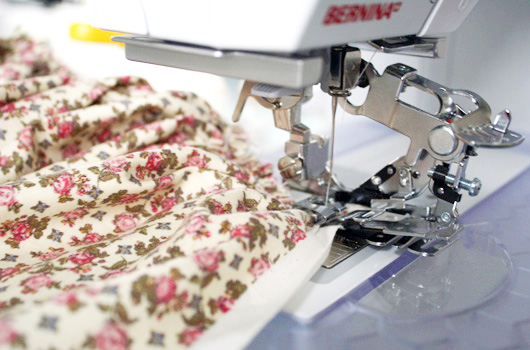
I have to take a little minute to chit chat about my new Ruffler. This amazing little device can save you minutes, nay hours of hand-gathering! I got this little baby when I started working on a children’s pattern with an absurd amount of ruffles (I just can’t help it! I adore ruffles!). The ruffles are perfect (you can choose a ruffle at every 1, 6, or 12 stitches thereby also creating the most perfect pleat).

IMG_1339

If you are an avid sewer + ruffle-person (please tell me I’m not the only one out there), you would love this device (BTW, Bernina did not put me up to this…it is simply my own little obsession. Josh is tired of me pushing guests into my studio to show them how amazing it is!).

Just as a side note, the MeadowLark™ giveaway ends tomorrow! Be sure and enter by adding a comment in the post below!

Share and Enjoy:
  • Digg
  • StumbleUpon
  • Facebook
  • TwitThis

On the Subject of Family

Thursday, May 6th, 2010

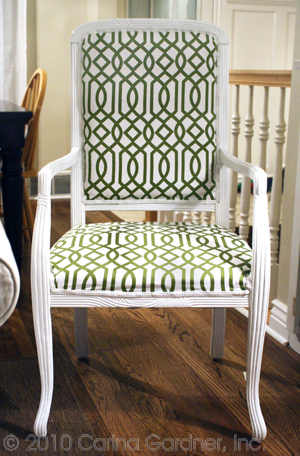
IMG_1374_smSunday night we got together as a family at Liz and Tim’s house. It was fun, the food was good, and the company was excellent. Liz also had me up late to help refresh an old chair. I couldn’t help but show it off here because the final result was amazing. I should have taken a before photo. Just know that old white washed wood was dingy and the old faded cream textured fabric was ragged and dirty. I was glad we gave it new life with this geometric fabric and white finish! The contrast of the antique chair with the bold geometric made me pretty happy.
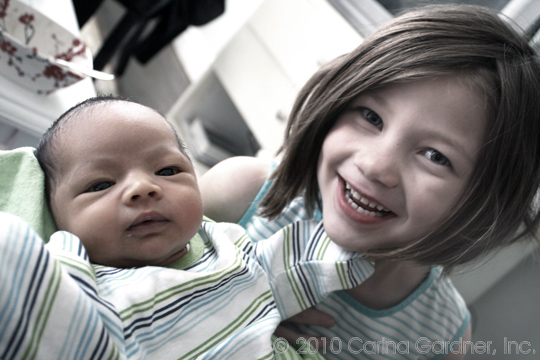
I also promised an update on my sister who has adopted a darling little boy! SuiKim and Steve has had new baby Grant for a couple of weeks now. It seems as if he has always been here! Siri coos over the baby and asks when we are getting a baby brother. Um, not any time soon, darling. Sorry to disappoint. I just wanted to say thank you to everyone who bought Baby Mine! It was a wonderful success!

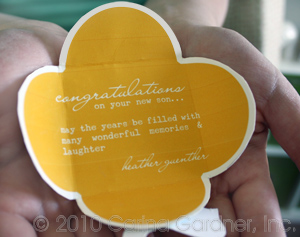
IMG_1383_smSuiKim was over at my house yesterday and I had a darling package from one of our Decorators from Design House Digital, Heather. She had used the Baby Mine kit to make two adorable sleepers (which she sewed!!!). SuiKim and I were touched! Thank you Heather for the generosity! Grant is going to look stunning in sleepers! I was also impressed with this darling baby card Heather made (I need that script font!). The tininess added  to the intimacy and  sweetness. You are best Heather!
IMG_1257_sm

Share and Enjoy:
  • Digg
  • StumbleUpon
  • Facebook
  • TwitThis

ABC Book Template

Wednesday, April 21st, 2010

blog1_1

I’ve been working on this new hybrid ABC Book for a couple of days now. It’s a little present for my mother-in-law for Mother’s Day…shhhhh! Don’t tell! She even gave me a little time to work on it while she hauled my kids to the aquarium for a little “grammy” time yesterday. I had to share because I made this little book from MeadowLark™ and my new ABC Templates that will be out tomorrow at DHD. The mini illustrations are so sweet! Think Mother’s Day (or in my case, Grandma’s Day). The bonus? It’s pretty easy to make.

dhd_carinagardner_abc_sqPREVThe templates all fit on a 4 in x 4 in photo (I get 4″x6″ photos printed at Costco and leave the extra space blank). All I did was take my “ABC photos” and dropped the templates on top (the digital kit comes with both white and black versions-52 files in all).

Once they are printed, you only have the fun part left! This little book is 5 in. x 5 in. You could make your book any size though. When I make my photos 4″ x 6″, I tend to make a 5 in” x 7 in” book. I was loving the black and white papers because it made the photos really pop. I added red ink to all the paper edges as an accent and some fun MME rub on letters to the cover (the other elements on the cover come from the MeadowLark™ die cut accessory sheets).  Oh ya, and my favorite way to get things bound? A quick trip to OfficeMax to let them spiral bind it for me. I’m okay with the hand off on this part of it!

blog1_2

Share and Enjoy:
  • Digg
  • StumbleUpon
  • Facebook
  • TwitThis

It’s a Project Day

Thursday, April 15th, 2010

IMG_1102

Ahhhhh! I love a good project day! I’m off the computer designing for a day (after finishing up my new collection Daisy Jane™ for DHD last night) and getting paint on my face! I found a steal of a deal at Tai Pan the other day, and it’s been waiting for me to give it a fresh coat of paint. Of course, Felicity helped as only a toddler can (that’s her little hand painting in the photo!). I’m also hoping to get out those new MeadowLark™ papers to work on a little project. That’s this afternoon (with the girls…they love a good art project as much as I do).

elephant frontSpeaking of projects, I have to show off these amazing projects by one of DHD’s new Hybrid Decorators: Jane Beljo (click on her name to see more). These cards use the Baby Mine kit (proceeds go to a good cause—see the post below!). You can see her helpful hints for making her cards at Design House Digital (her first post is here).

Oh ya, and I’ve been meaning to give a little shout out to Hi Mountain Drug Store in Kamas, Utah. Our little family stopped by to see DHD’s Digi guru Gennifer Bursett on our way back from a spring break vacation last week. It’s no wonder that the burger joint there has won so many awards! I inhaled that deleIMG_1075ctable philly burger with the refreshing limeade in a ridiculous amount of time. Yes, my mouth is salivating just thinking of it. Gen, watch out…I may be back sooner than you’d like!

Okay, backing away from the computer now :) .

Share and Enjoy:
  • Digg
  • StumbleUpon
  • Facebook
  • TwitThis

Valentine’s Day Card for Kids-Free Download

Friday, January 22nd, 2010

valentinesdaycard2010_cgI’m a sucker for Valentine’s Day. And while we are still three weeks away, I’ve got some great little projects put together for this very pink holiday. If you haven’t picked it up yet, the Love Nest glitter book is available at Hobby Lobby, and I’ll be doing a few projects with those papers and my new Affectionate papers at Design House Digital.

First up, getting my daughter’s Valentine’s Day Cards together. And you can download them too! These sweet little cards ar 3″ x 4″ and I’ve even already assembled them onto a 8.5″ x 11″ sizes paper for you. So all you have to do is print! I’ve made the boxes “chubby” for my kindergartner’s fat letters. We’ll cut them out and let her write on them in advanced.

You can also check out my Valentine’s Day Kiddie cards from 2009 (also a free download!) if you want lots of different cards (and birdies:). Those cards are also set up on a 8.5″ x 11″ paper so all you have to do is cut! Easy-peasy!

download_vcards2010

Share and Enjoy:
  • Digg
  • StumbleUpon
  • Facebook
  • TwitThis